 POSRaven
No installation
Open posraven.com in Chrome, Edge, Firefox or Safari and sign in.
POS SOFTWARE FOR PC
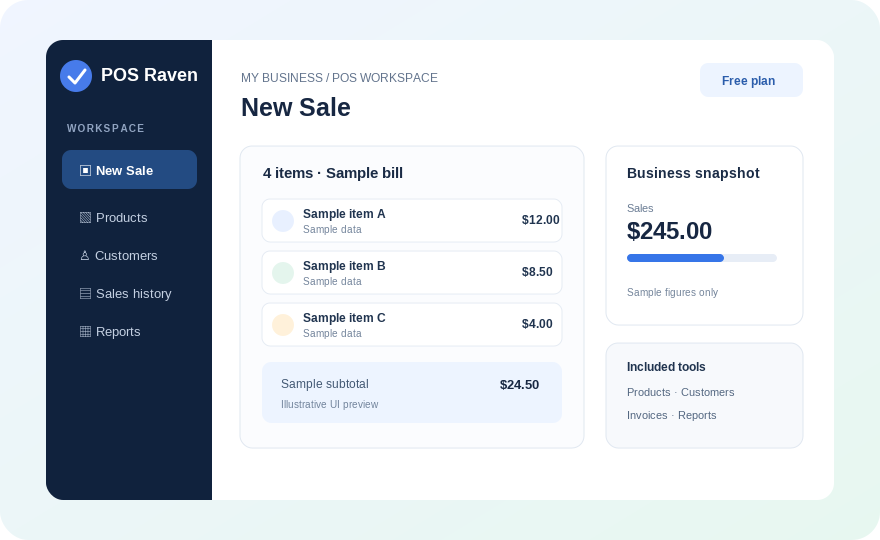
Many shops already have a computer at the counter. POSRaven turns it into a point of sale through the web browser: no installer, no license key, and your data is reachable from other devices too.
Free registered plan · $0 USD per 30 days · Works in your web browser
USE THE COMPUTER YOU HAVE
POSRaven works on Windows, macOS and Linux computers with a modern browser.
Open posraven.com in Chrome, Edge, Firefox or Safari and sign in.
Print 80 mm receipts or A4 invoices and use a USB barcode scanner.
If the counter PC breaks, sign in from another computer or a phone.
WHY BROWSER-BASED
Traditional shop software is installed on one PC and can be lost with it. POSRaven keeps your records online, so a new computer is ready in minutes.
Start free with POSRavenInstalled POS software often costs a large one-time fee and is tied to one computer. Updates and backups are your job.
A browser-based POS like POSRaven is paid per 30 days, updates automatically and keeps records online. The trade-off is that it needs internet; POSRaven's offline access is limited by plan.
Bookmark POSRaven, set your receipt printer as the default printer, and plug in your barcode scanner. That is all the setup most shops need.
GET STARTED IN MINUTES
Create your POSRaven account with an email address. No card is needed for the Free Registered plan.
Enter your items with prices, and stock where it applies. In Retail mode you can print barcode labels.
Build a bill, add a discount or tax, record how the customer paid and print an 80 mm or A4 receipt.
SIMPLE, PUBLISHED PRICING
| Plan | Price (USD / 30 days) | Products | Sales / period | Offline access |
|---|---|---|---|---|
| Free Registered | $0 | 5 | 10 | 1 min |
| Pro | $5 | 100 | 500 | 10 min |
| Premium | $19 | 500 | 1,500 | 30 min |
| Gold | $49 | 1,000 | 2,500 | 60 min |
| Enterprise | $150 | Unlimited | Unlimited | 120 min |
Paid plans renew every 30 days until canceled. Prices and limits can change; the Pricing page and checkout always show the current amount before you pay.
HELPFUL ANSWERS
Yes. It runs in any modern browser such as Chrome or Edge on Windows.
No. POSRaven runs in the browser.
You can keep working offline for a limited time that depends on your plan (1 to 120 minutes), and changes sync when you reconnect.
Yes. The workspace is available in 15 languages, including English, Spanish, Hindi, Bangla, Arabic and Urdu, and prices can be shown in your local currency.
Register free and make a test sale on your computer now.
Start free with POSRaven